
Artificial Intelligence is no longer a futuristic concept reserved for research labs or big tech companies. Today, AI tools are becoming part of daily workflows—helping people write, design, analyze, automate, and make smarter decisions with less effort.
This guide is written for real users, not engineers. Whether you are curious about AI, experimenting with tools, or actively integrating them into your work, this article will help you understand what the latest AI tools actually do, how they are used, and why they matter.
Table of Contents

What Do We Mean by “Latest AI Tools”?
When people talk about the “latest AI tools,” they often imagine complex systems or intimidating dashboards. In reality, most modern AI tools focus on simplicity. They are designed to reduce friction, save time, and improve output quality without requiring technical expertise.
These tools generally fall into a few practical categories:
- Writing and content assistance
- Image and design generation
- Data analysis and research support
- Automation and productivity enhancement
- Learning and skill development
The key difference today is accessibility. Anyone with a browser can now act as an AI Explorer, testing ideas and workflows that were impossible just a few years ago.
The Rise of the AI Explorer Mindse
An AI Explorer is not necessarily a developer. It is someone curious enough to experiment with tools and thoughtful enough to use them responsibly.
This mindset matters because AI tools are evolving quickly. The people who benefit most are not those who chase every new tool, but those who learn how to evaluate usefulness.
Key traits of an AI Explorer:
- Curiosity over hype
- Practical testing instead of assumptions
- Focus on outcomes, not features
Instead of asking “What is the most powerful AI?”, the better question is:
“Which AI tool actually helps me do this task better?”
Future-Tech Enthusiasts and the Shift in Daily Work
Future-Tech Enthusiasts tend to notice a pattern: AI is not replacing work—it is reshaping how work is done.
For example:
- Writers now brainstorm faster
- Designers prototype concepts earlier
- Researchers scan large volumes of information efficiently
The latest AI tools often work best as assistants, not replacements. They reduce repetitive effort and free up time for thinking, creativity, and judgment.
This is why understanding AI tools is becoming a basic digital skill, similar to learning spreadsheets or search engines in the past.
Becoming a Prompt Wizard (Without Overthinking It)
The term “Prompt Wizard” sounds technical, but the idea is simple:
AI tools respond better when instructions are clear, specific, and contextual.
You do not need special formulas. You need clarity.
Effective prompts usually include:
- The task (what you want)
- The context (who it’s for or why)
- The format (how the output should look)
Example comparison:
Vague:
“Write about AI tools.”
Clear:
“Explain the latest AI tools in simple language for non-technical readers, focusing on practical use cases.”
Prompt skills improve naturally with use. Over time, users learn how to guide AI rather than fight it.
AI as a ChatGPT Partner, Not a Shortcut
One common misunderstanding is that AI tools are meant to “do everything for you.” In reality, the most effective users treat AI as a thinking partner.
As a ChatGPT Partner-style workflow:
- You draft → AI refines
- You plan → AI organizes
- You decide → AI supports
This collaboration improves speed and structure, but responsibility remains human. AI does not replace judgment, taste, or accountability.
This mindset also avoids over-dependence, which is critical for long-term skill development.
Understanding the Machine Learning Mind
You do not need to study mathematics to benefit from AI, but understanding the basics helps you use tools wisely.
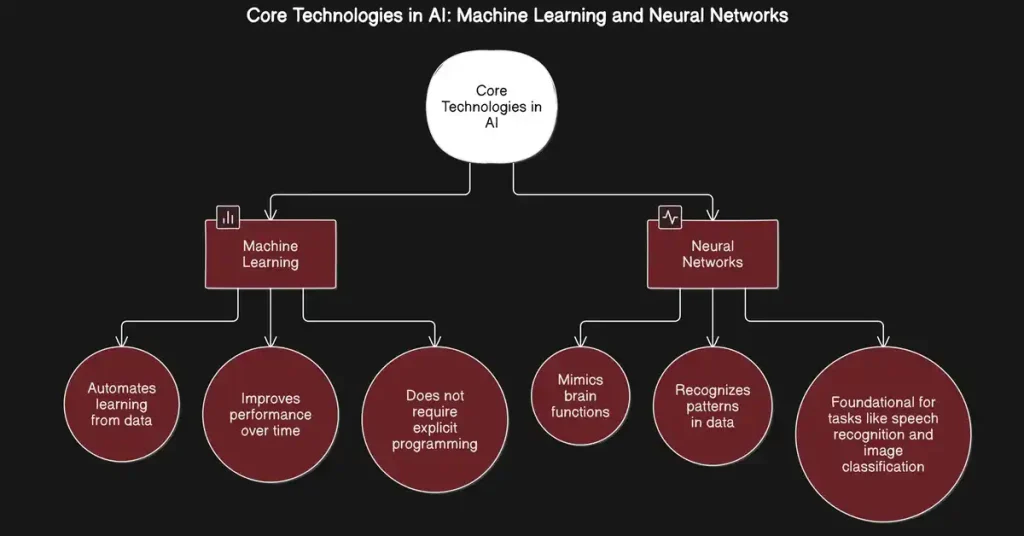
A Machine Learning Mind understands three core ideas:
- AI learns from data, not truth
- AI reflects patterns, not intent
- AI output depends heavily on input quality
This awareness prevents blind trust and encourages verification—especially when using AI for research, decisions, or public content.
Popular Categories of the Latest AI Tools
Rather than listing specific brand names, it is more useful to understand what types of tools exist and how people use them.
1. Writing and Content Tools
Used for:
- Drafting articles
- Rewriting text
- Improving clarity and tone
Best for users who already know what they want to say but need help refining it.
2. Visual and Design Tools
Used for:
- Creating images
- Social media graphics
- Concept art
These tools help non-designers visualize ideas quickly.
3. Productivity and Automation Tools
Used for:
- Task summaries
- Workflow automation
- Scheduling assistance
Ideal for reducing repetitive digital work.
4. Research and Learning Tools
Used for:
- Explaining complex topics
- Organizing information
- Learning new skills faster
These tools work best when paired with critical thinking.
How to Choose the Right AI Tool for Your Needs
Before adopting any AI tool, ask these questions:
- What problem am I solving?
- Will this save time or improve quality?
- Can I verify the output easily?
Avoid tools that:
- Promise unrealistic results
- Hide how outputs are generated
- Encourage full automation without oversight
The best AI tools fit into your existing workflow rather than forcing a new one.
Ethical and Practical Use of AI Tools
Responsible use matters more than ever. Ethical AI usage includes:
- Avoiding plagiarism
- Respecting data privacy
- Disclosing AI assistance when required
Authenticity does not disappear when using AI. It depends on how you use it, not whether you use it.
Final Thoughts: Why Learning AI Tools Is Worth It
The latest AI tools are not just trends—they are becoming part of how modern digital work functions. Learning to use them thoughtfully gives you an advantage without sacrificing originality or control.
Whether you identify as an AI Explorer, a Future-Tech Enthusiast, a Prompt Wizard, or someone developing a Machine Learning Mind, the goal remains the same:
Use AI to enhance your thinking, not replace it.